Track employee work hours and project costs efficiently.
Fast, precise, and built for modern teams.
Log work hours by project in under a minute on mobile
Launch the Weladee mobile app and select 'Timesheet' from the home screen.
Tap the '+' button to log work time, choosing the appropriate project and task for the day.
Enter your hours worked and add a brief description of the accomplishments.
Tap save to sync details instantly. Managers can review and approve entries in real time.
Track progress and coordinate tasks with visual cards for an organized workflow.
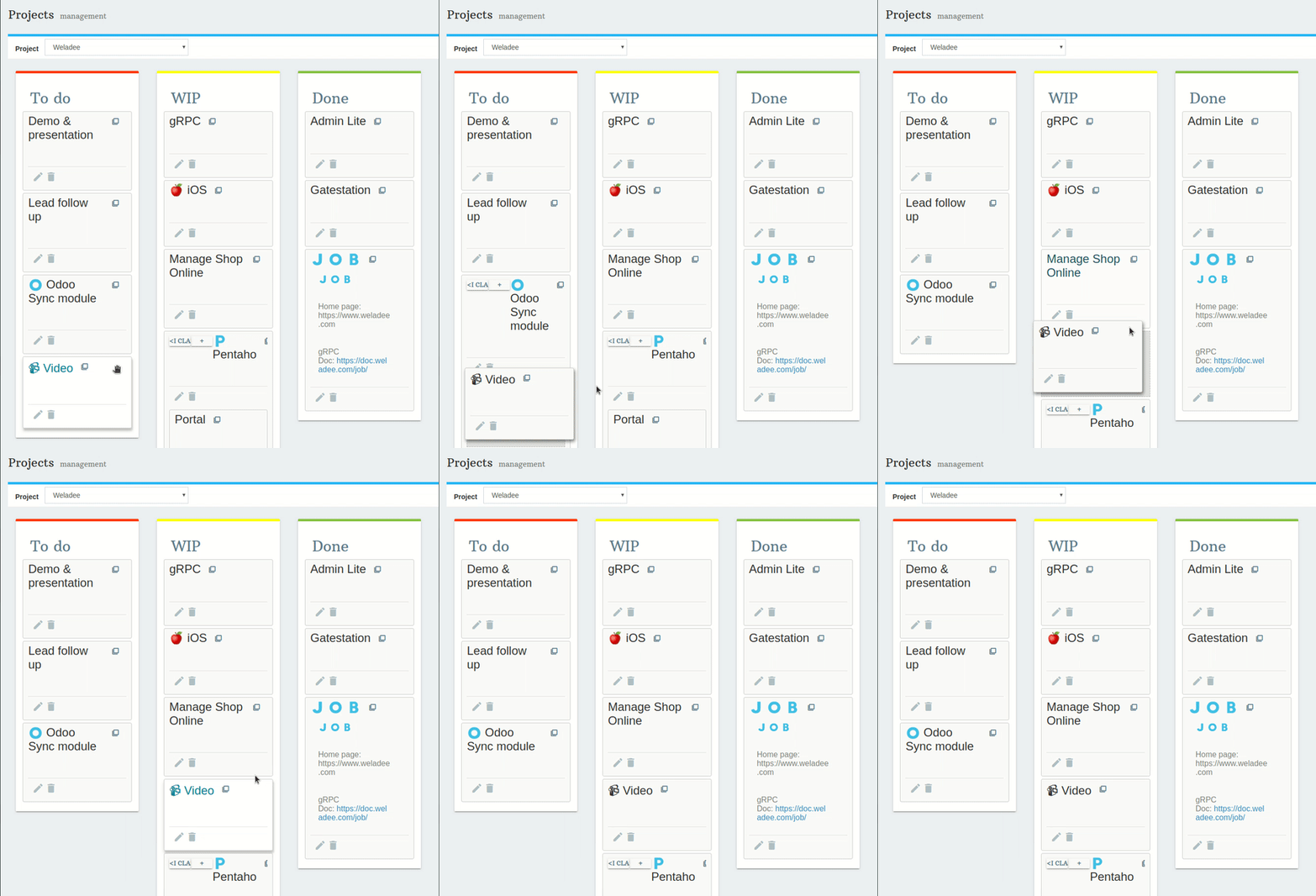
The Kanban board organizes projects and tasks into visual **cards** structured by status columns. Easily update task status by dragging cards across stages.
Monitor project progress and track bottlenecks in a single, clear interface.
Move tasks through workflow stages to update team members instantly.
Get a complete overview of all ongoing projects and tasks at a glance.