
Weladee Payroll is a comprehensive management system that makes salary processing simpler, faster, and more accurate. Manage payroll, overtime, payslips, reports, and government tax forms (SSO & PND1) all in one centralized platform. Reduce administrative paperwork, minimize manual calculation errors, and significantly improve your HR team’s efficiency.
Follow these 6 steps to process payroll from start to finish
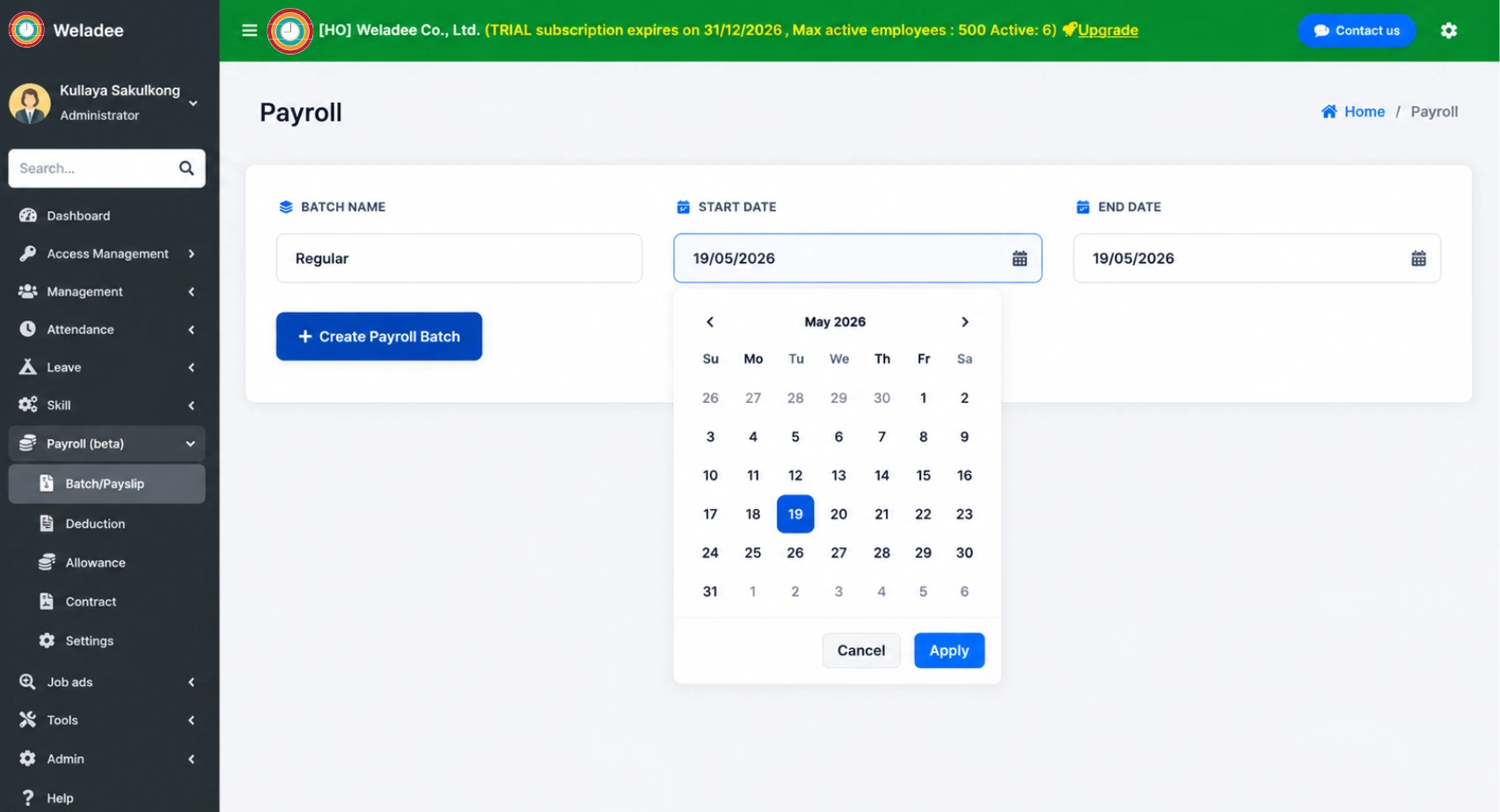
Configure company-wide payroll rules including base salary structure, overtime rates, and deduction policies. You can also add or edit allowances, deductions, or contract details for each individual employee as needed.
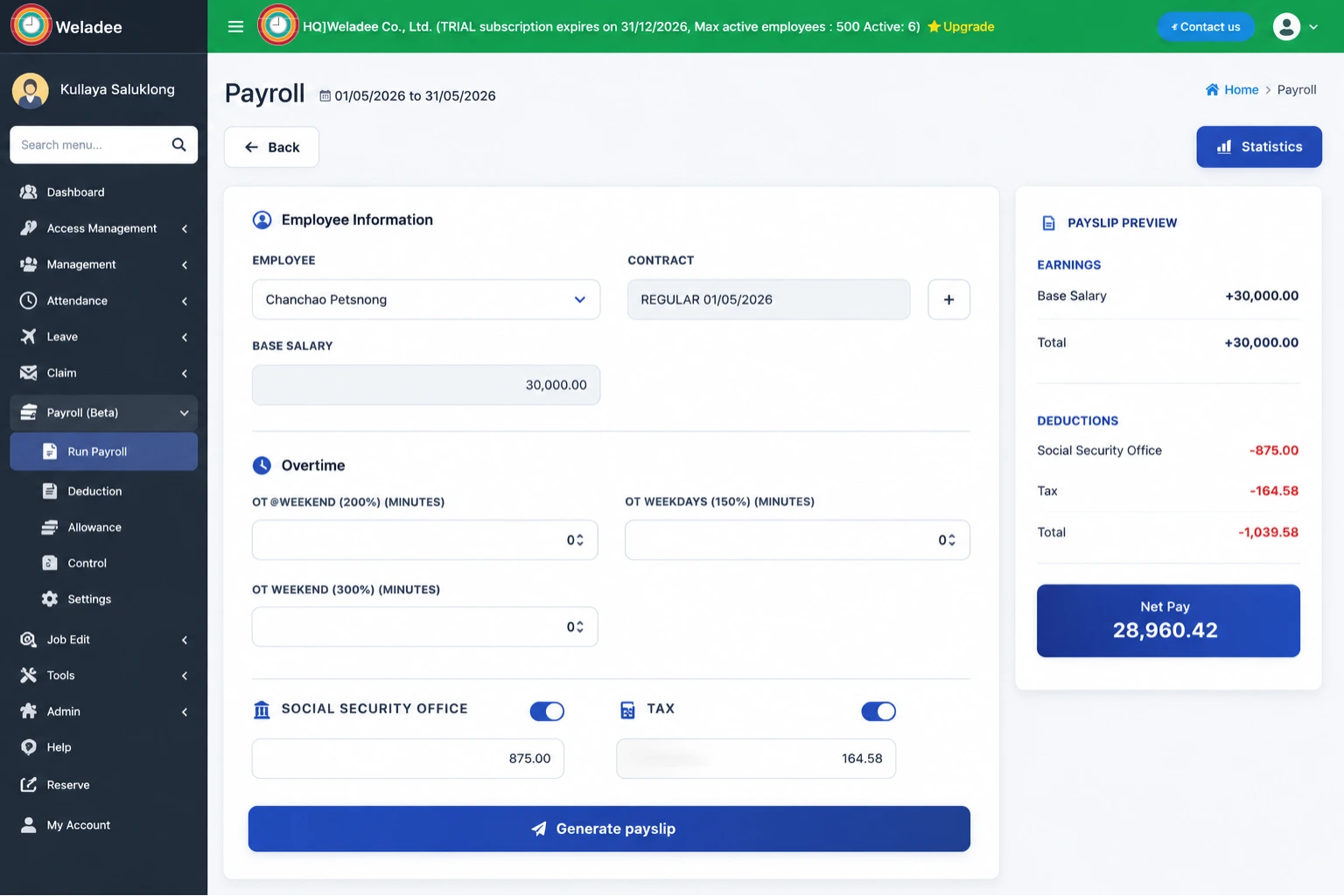
Create a new payroll batch, select the employees to include, and fill in the payroll details. The system will generate a preview of each payslip so you can verify all figures before finalizing.
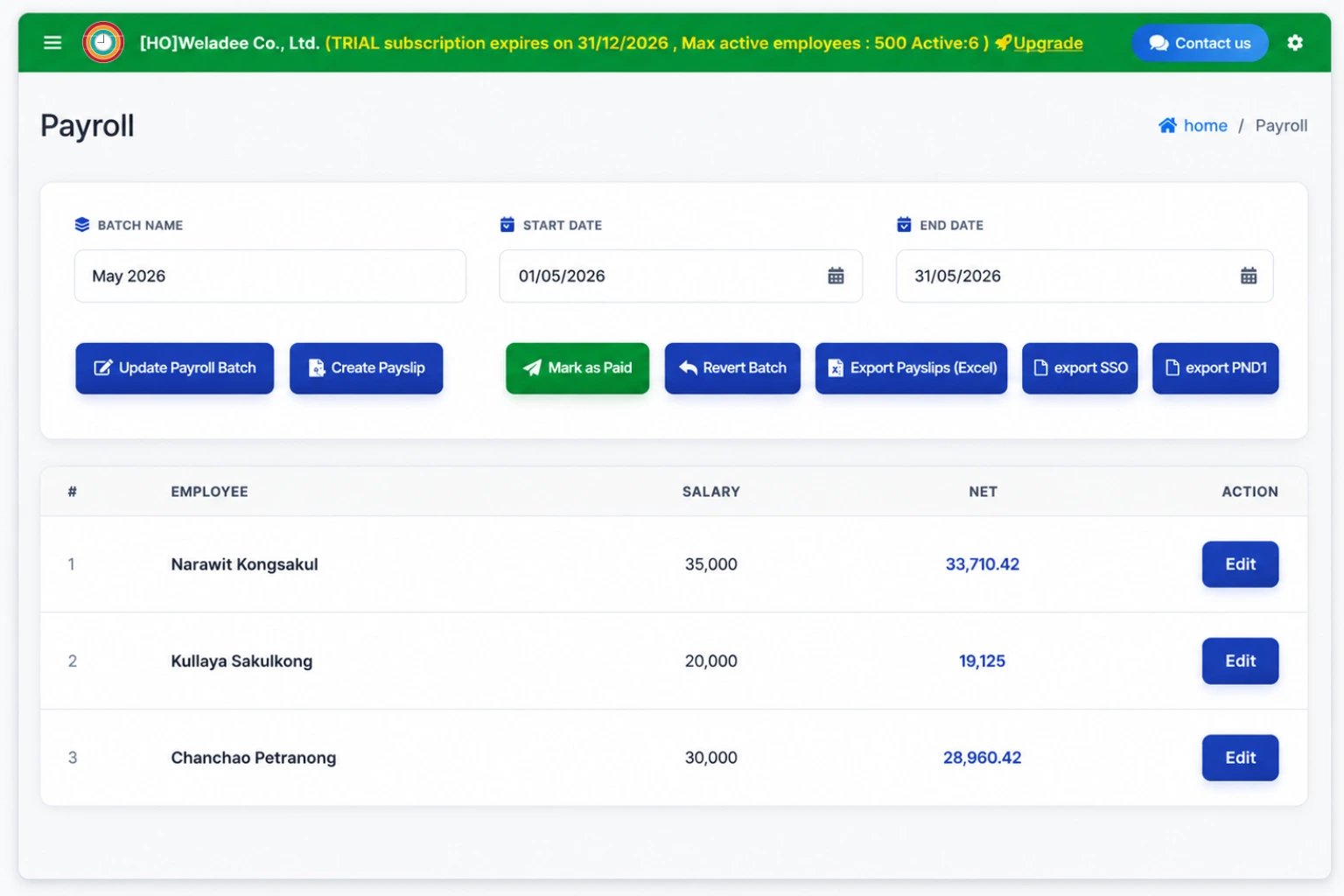
Once the batch is complete and all payslips look correct, send it to the approver. The assigned manager or HR admin will receive a notification to review and approve the payroll batch.
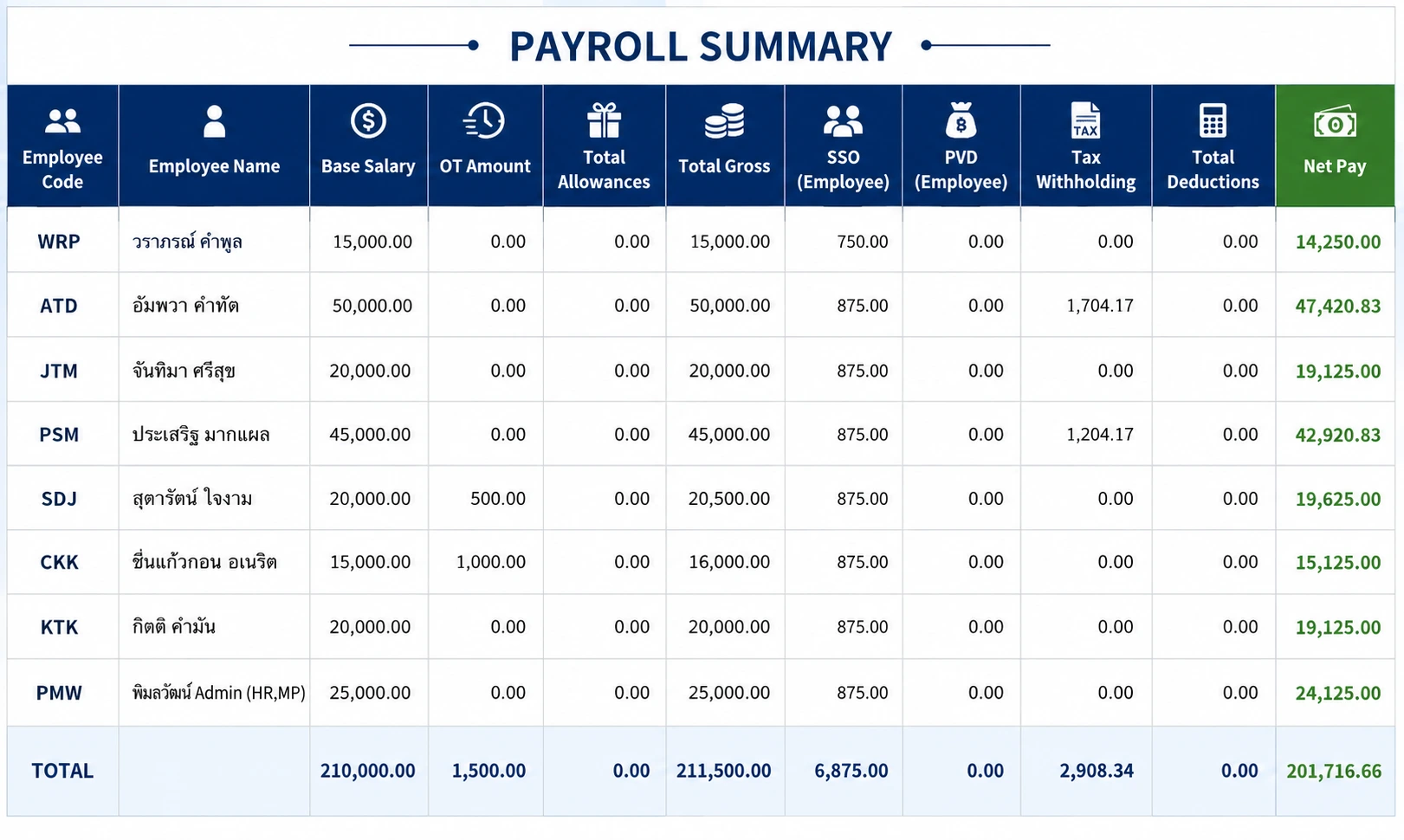
After approval, export the payroll data to Excel for accounting, bank transfers, or record-keeping. The exported file includes all salary details, deductions, and net pay per employee.
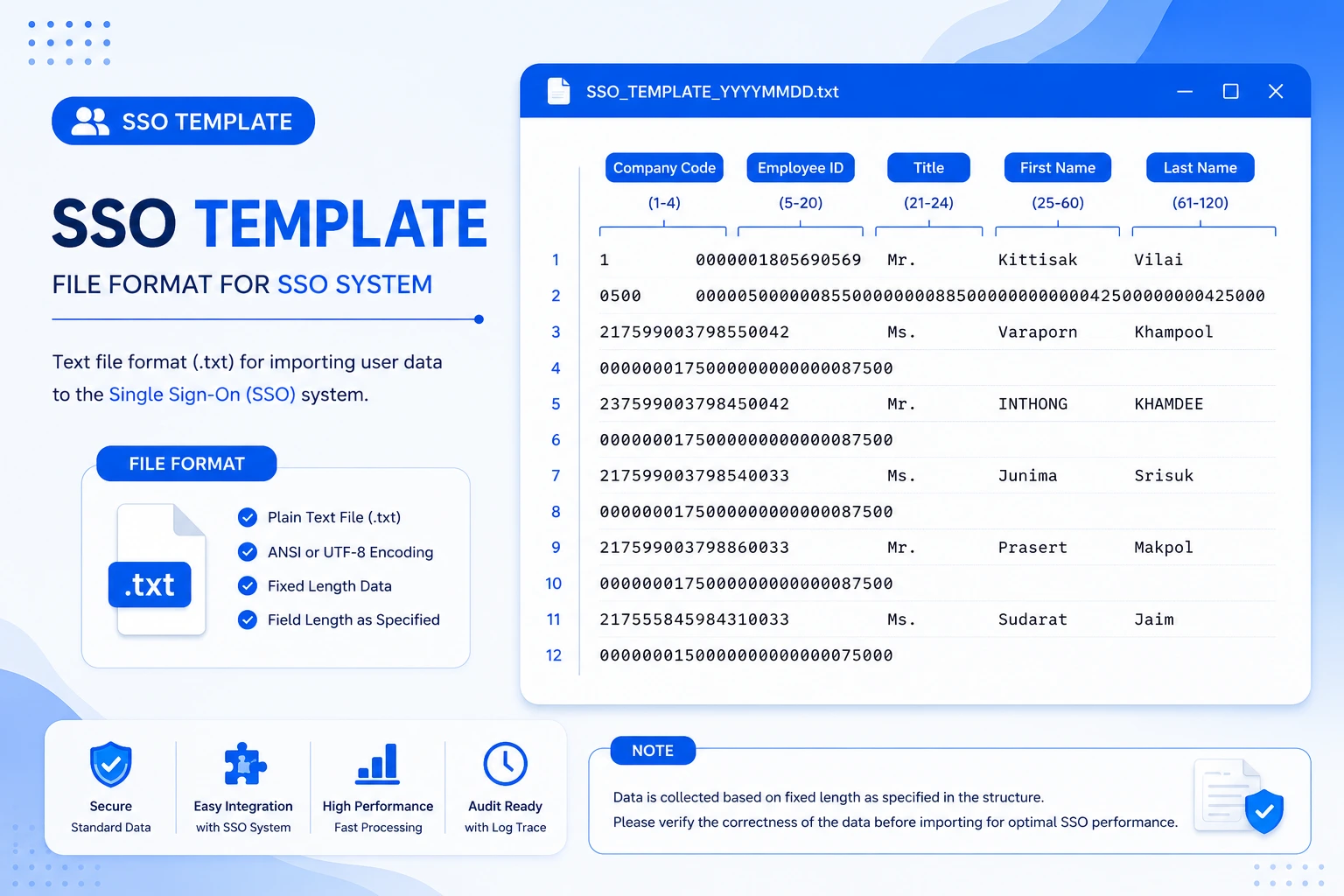
Generate and export the Social Security Office (SSO) report file in the required format. This file contains each employee's social security contribution amounts and is ready to submit directly to the SSO portal or upload to your bank's payment system.
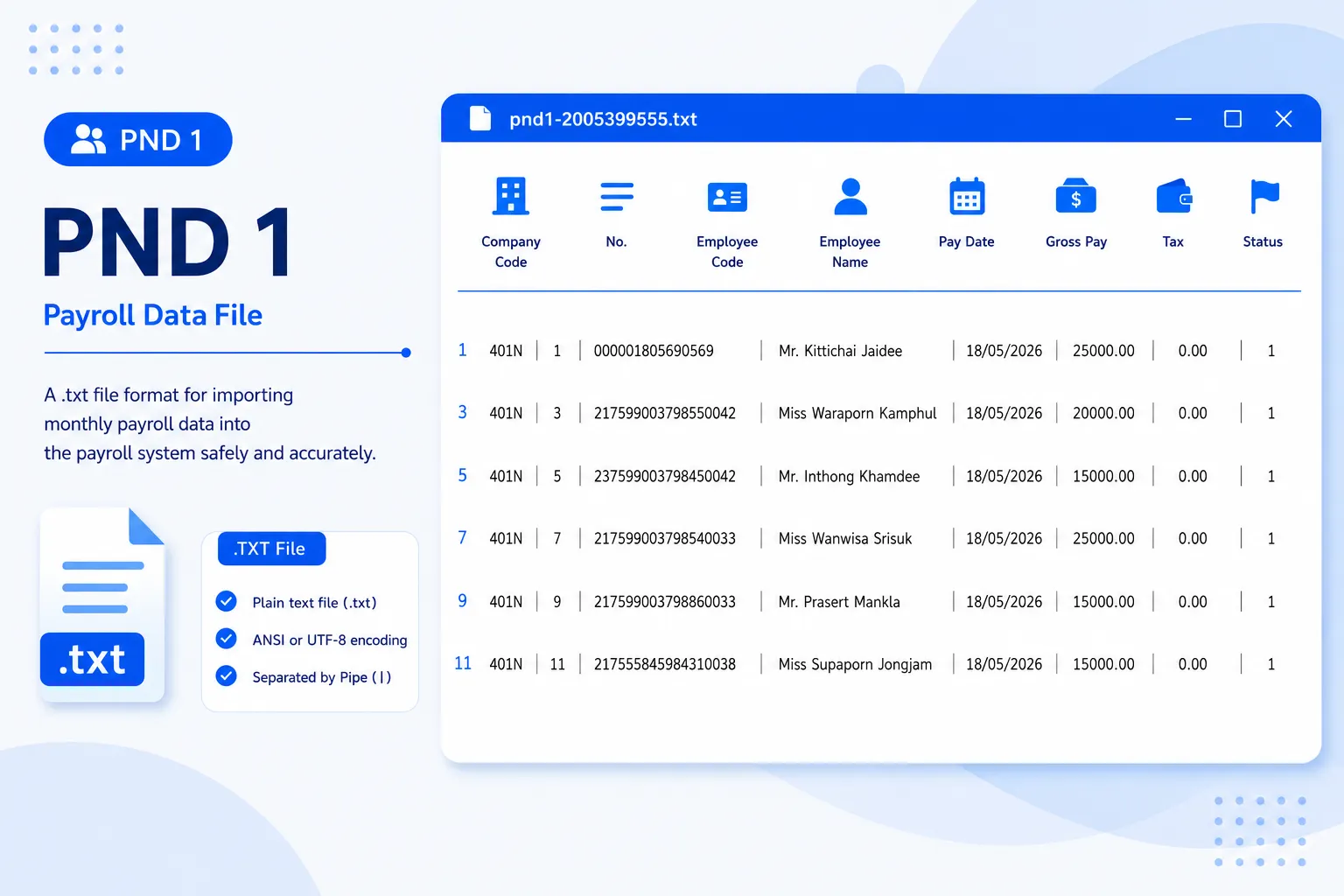
Export the personal income tax withholding report (PND1) in the format required by the Revenue Department. The file includes each employee's taxable income and withheld tax amounts, ready for monthly tax filing submission.
Everything you need for complete payroll management
Automatically calculate salaries, overtime (OT), bonuses, commissions, and deductions with ease.
Connect attendance, leave, lateness, and overtime data to ensure more accurate payroll calculations.
Manage tax calculations, social security contributions, and other deductions in an organized way.
Generate ready-to-submit files for the Social Security Office and Revenue Department in the required official formats.
Employees can easily view and download their payslips anytime, anywhere.
Employee and payroll data are securely stored with proper access control and privacy protection.
Benefits that make a real difference for your team